What’s new with Nearpod: Back to school 2026
There’s nothing quite like the start of a new school year—a fresh classroom, new students, and endless opportunities to inspire a love of learning. Whether you’re planning your first lesson or supporting educators across a district, Nearpod is here to help you start the year with engaging learning experiences students can’t wait to be part of.
This year’s newest Nearpod updates are designed to help you save valuable time, personalize learning, and deliver high-quality instruction that reaches every student. From purposeful AI tools that make it easier to create and differentiate lessons to new ready-to-teach content and instructional support while teaching, Nearpod gives educators more ways to turn everyday lessons into active learning experiences.
Explore what’s new for back-to-school 2026 and discover even more ways to engage every student, support every learner, and make every instructional moment count.
New to Nearpod? Teachers can sign up for free below to access interactive activities, formative assessments, and engaging lessons. Administrators can schedule a call with an expert to unlock the full power of Nearpod for schools and districts.
What’s new with Nearpod: Back to school 2026
Save time and personalize learning with purposeful AI
Smarter lesson planning starts with Nearpod’s AI Create. Whether you’re building a lesson, creating an interactive activity, checking for understanding, or differentiating content, AI Create helps you move from objective to active learning experience—faster.
This year, educators have even more ways to use AI Create to address real classroom needs while keeping their instructional expertise at the center.
New! AI Create: Text Leveler
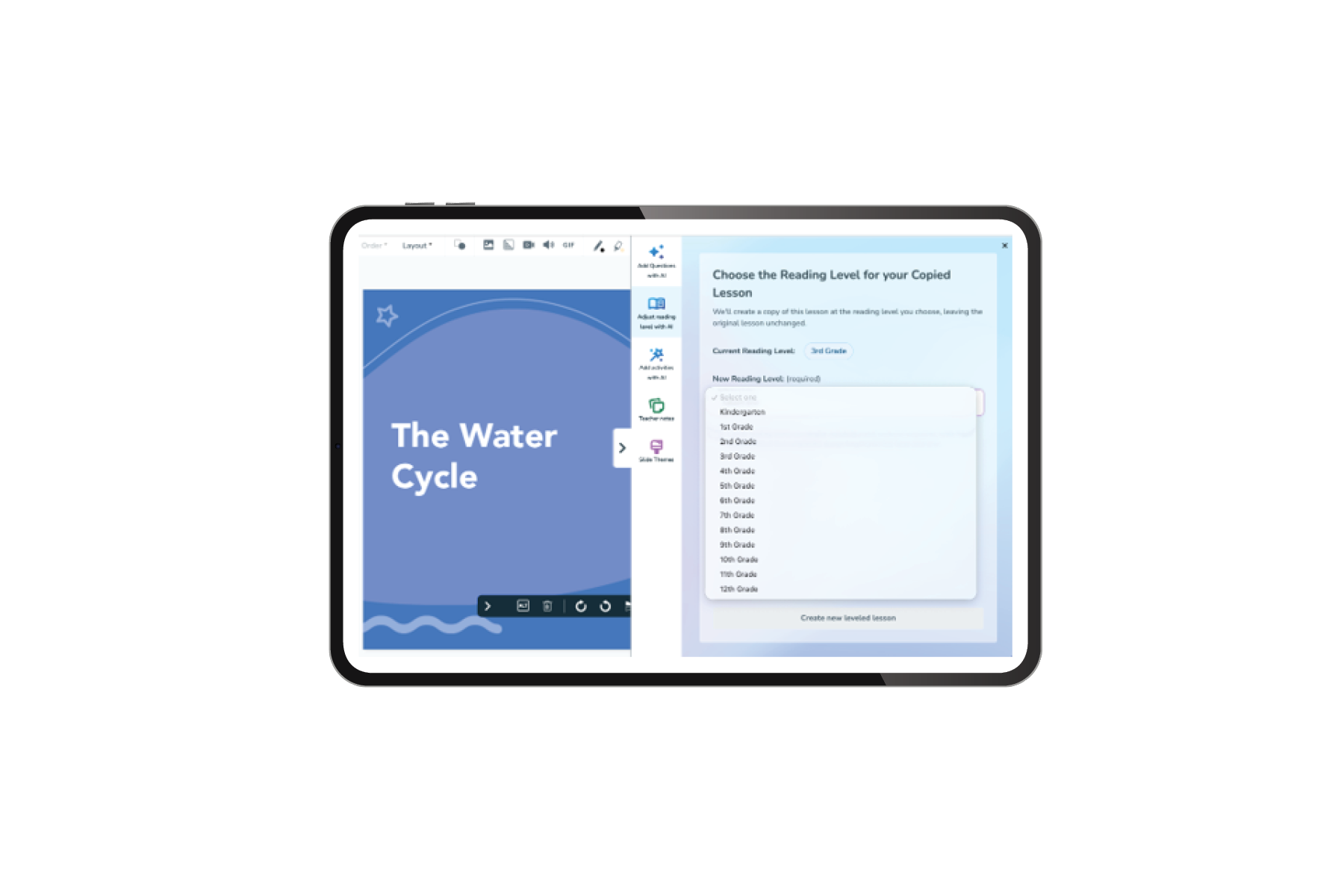
Every student deserves access to high-quality instructional content. With Nearpod’s new AI Text Leveler, teachers can adjust lesson text to a targeted reading level—making it easier to differentiate instruction without starting from scratch.
Select the text in an existing Nearpod lesson, choose the reading level that best supports your students, and let AI Create adjust the content while maintaining the original meaning and instructional intent.
Use the AI Text Leveler to:
- Adjust lesson content to a targeted reading level
- Create differentiated versions of existing Nearpod lessons
- Make grade-level concepts more accessible to more students
- Save valuable planning time while providing meaningful support
With the ability to adapt the lessons you already know and love, the Text Leveler helps you meet students where they are while keeping them connected to grade-level learning.
New to Nearpod’s AI Create tools?
Explore the Lesson, Activity, and Question Generators. Introduced last year, these time-saving tools help educators create interactive, high-quality lessons and activities while keeping their instructional expertise at the center.
AI Create: Lesson Generator
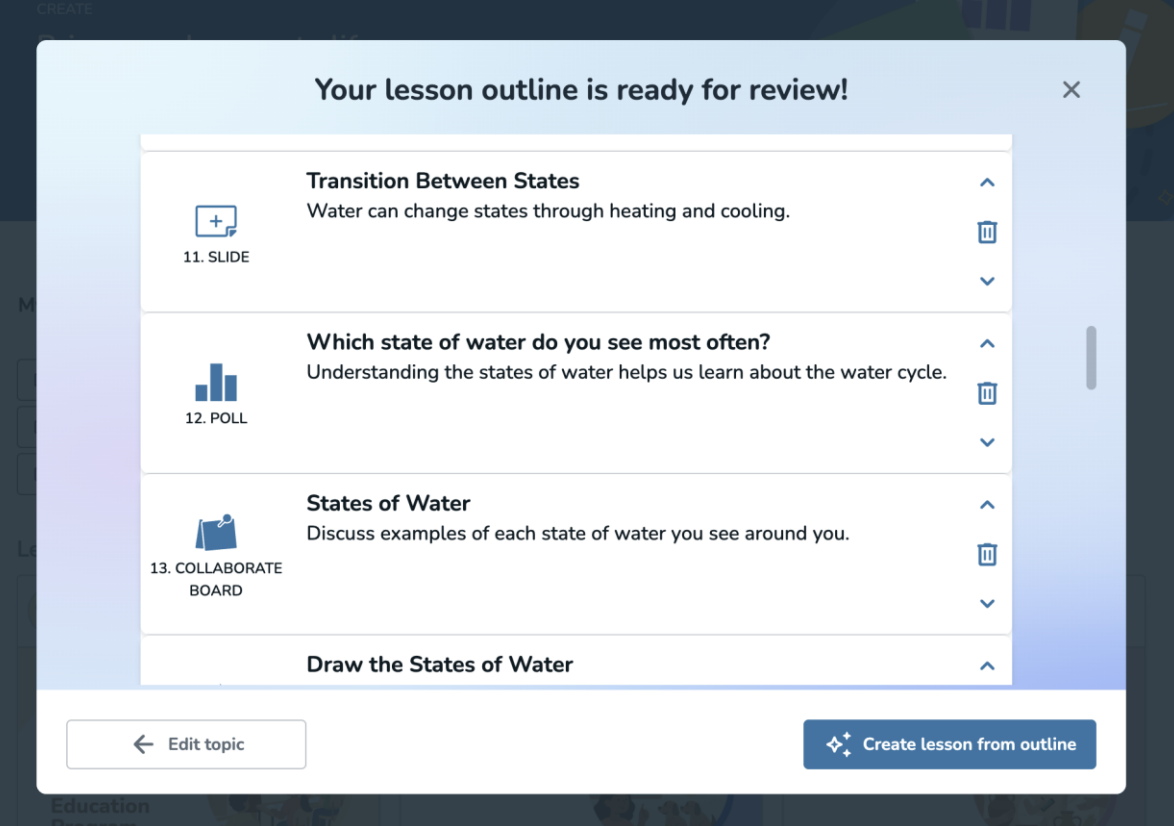
Need a starting point for an upcoming lesson? Nearpod’s AI Lesson Generator helps educators instantly create high-quality, interactive lessons aligned to a topic, standard, or learning objective.
Simply enter what you’re teaching, and AI Create generates a complete Nearpod lesson with instructional content, formative assessments, and interactive activities built right in. From there, teachers can review, edit, and customize every part of the lesson to fit their students and instructional goals.
Use the AI Lesson Generator to:
- Create standards-aligned lessons in less time
- Embed interactive Nearpod activities and formative assessments
- Introduce, reteach, review, or extend a concept
- Customize every lesson while keeping your instructional vision at the center
Whether you’re starting from scratch or need inspiration to bring a lesson to life, the AI Lesson Generator makes it easier to move from planning to purposeful instruction.
AI Create: Activity Generator
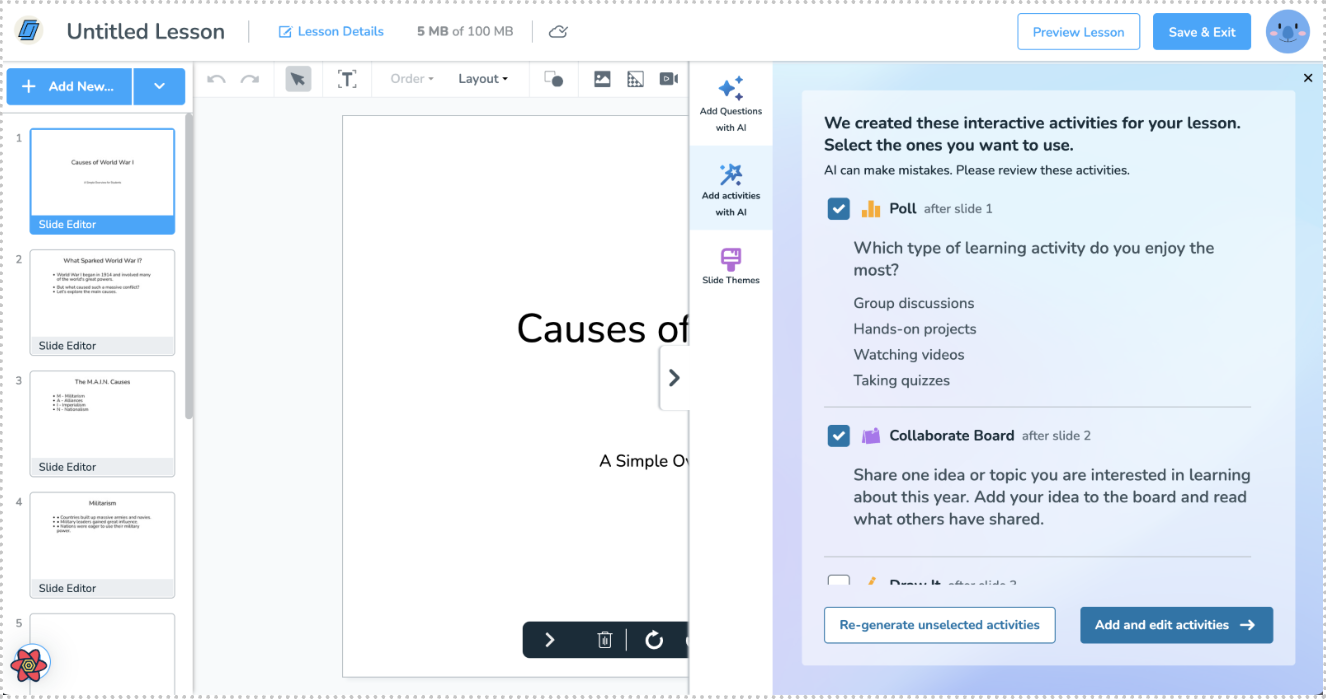
Looking for a quick way to get every student participating? Nearpod’s AI Activity Generator helps educators instantly create interactive activities connected to any topic or learning objective.
Select the Nearpod activity you want to use, enter what you’re teaching, and let AI Create build the content for you. Add the activity directly to your lesson, make any changes you need, and get ready to hear from every student.
The AI Activity Generator helps educators:
- Quickly add interactive activities to new or existing lessons
- Create meaningful opportunities for student participation
- Check for understanding throughout instruction
- Spend less time building activities from scratch
From introducing a new concept to closing a lesson with a quick check for understanding, the Activity Generator makes it easier to create active learning moments that keep students connected to the learning.
*The AI Lesson Generator, Activity Generator, and Text Leveler are available with Nearpod School and District licenses.
AI Question Generator—now available with Nearpod Gold license
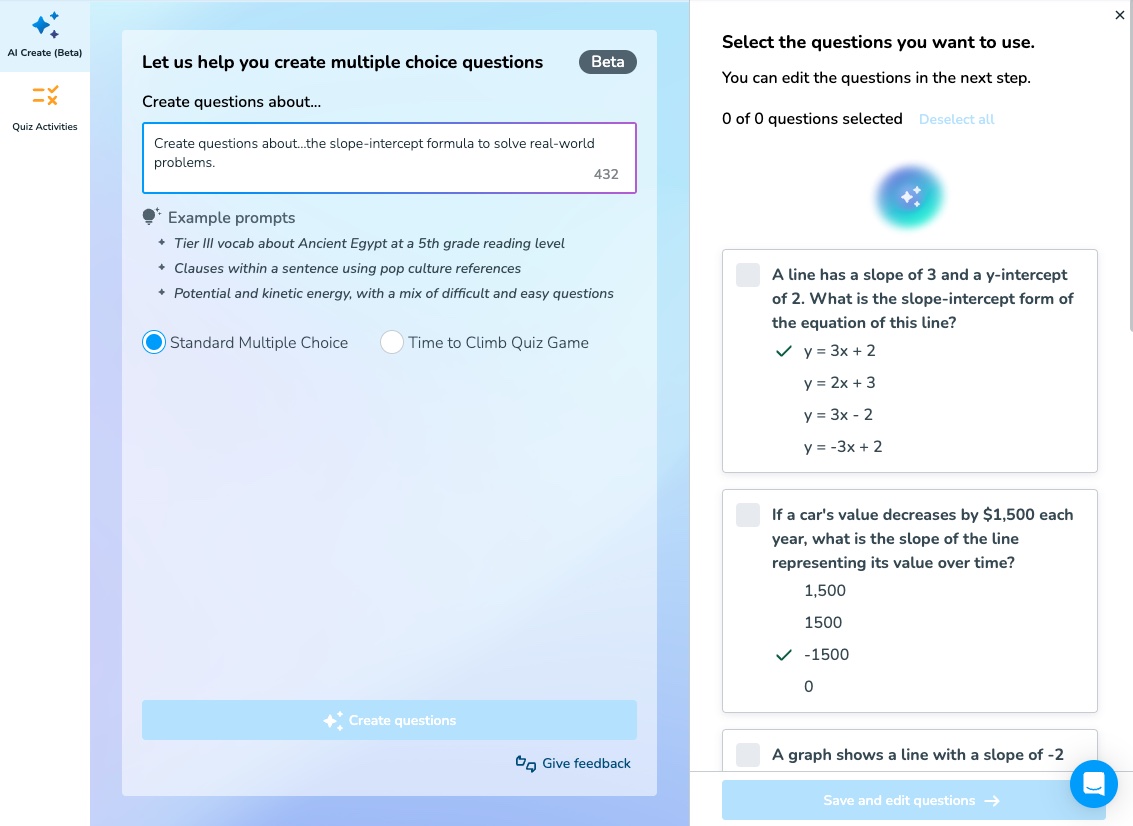
Access granted! Nearpod’s AI Question Generator is now available with Nearpod Gold, giving even more educators a faster way to create formative assessments that uncover student understanding.
With the AI Question Generator, teachers can create multiple-choice questions for Nearpod lessons and Interactive Videos or generate questions for a Time to Climb activity. Simply enter a topic or select lesson content, and AI Create develops ready-to-review questions in seconds.
Use the AI Question Generator to:
- Quickly create questions connected to your instructional content
- Add checks for understanding throughout a lesson
- Turn lesson content into an engaging Time to Climb activity
- Spend less time writing questions and more time responding to student needs
Whether you’re checking background knowledge, pausing for a quick pulse check, or reviewing key concepts, the AI Question Generator helps you hear from every student and make informed instructional decisions.
*The AI Question Generator is now available with a Nearpod Gold license.
Build digital citizenship skills for everyday success
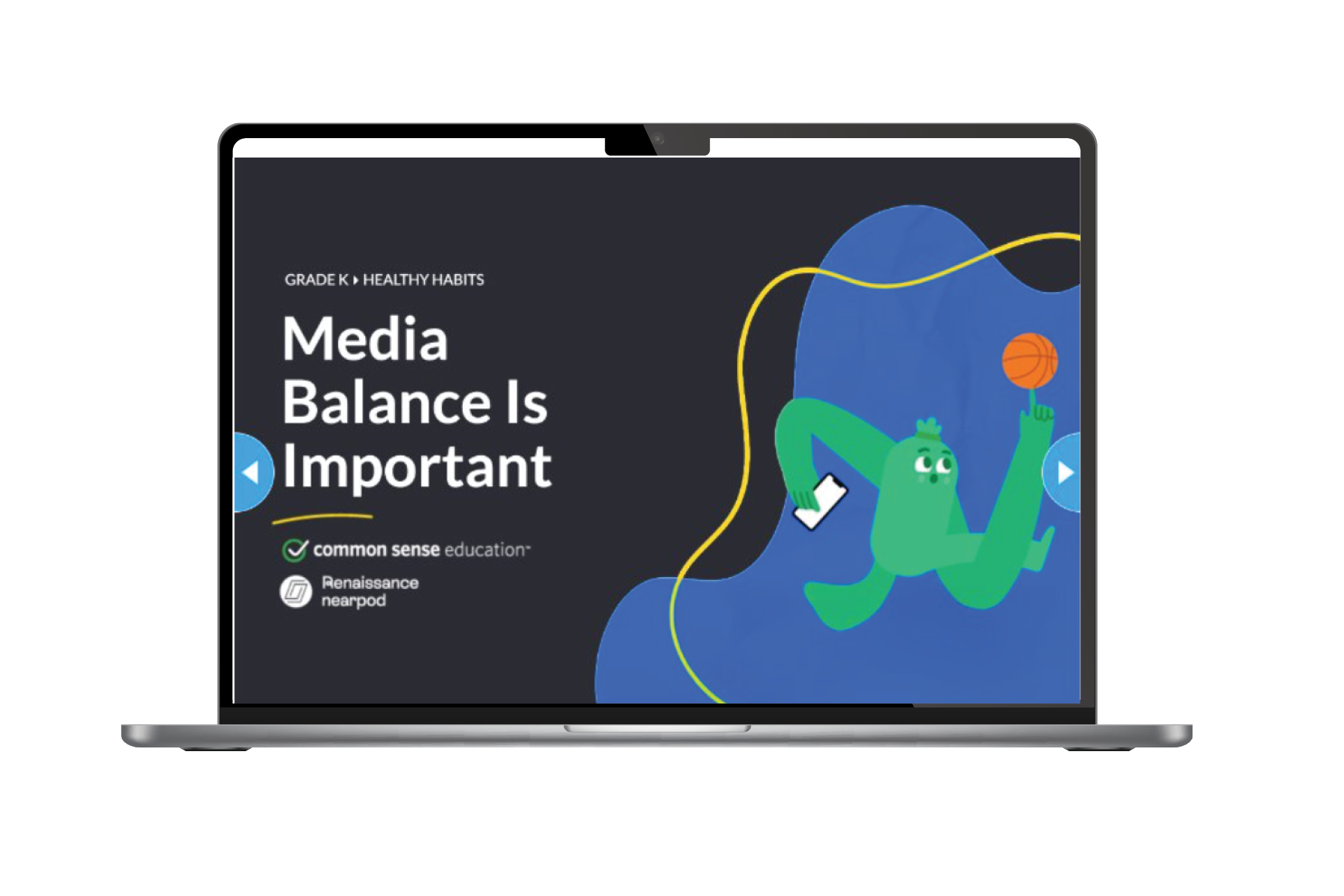
Students are growing up in a world where technology shapes how they learn, communicate, and connect. Helping them navigate that world safely and responsibly is an essential part of preparing them for success—in the classroom and beyond.
Nearpod now includes 148 new, ready-to-teach K––8 digital citizenship lessons developed in partnership with Common Sense Education. These interactive lessons help educators bring important conversations about digital life into the classroom through age-appropriate content students can understand and apply.
The new lessons address topics including:
- Digital safety and privacy
- Media literacy
- Online relationships and communication
- Healthy and responsible technology use
Each lesson combines trusted Common Sense Education content with Nearpod’s interactive features, helping educators transform important digital citizenship topics into active learning experiences.
Whether you’re building a digital citizenship curriculum or responding to real classroom needs, these ready-to-teach lessons make it easier to provide students with the knowledge and skills they need to make thoughtful and responsible choices online.
*Available with purchase of 21st Century Readiness Program
Keep instructional guidance right where you need it with Teacher Notes
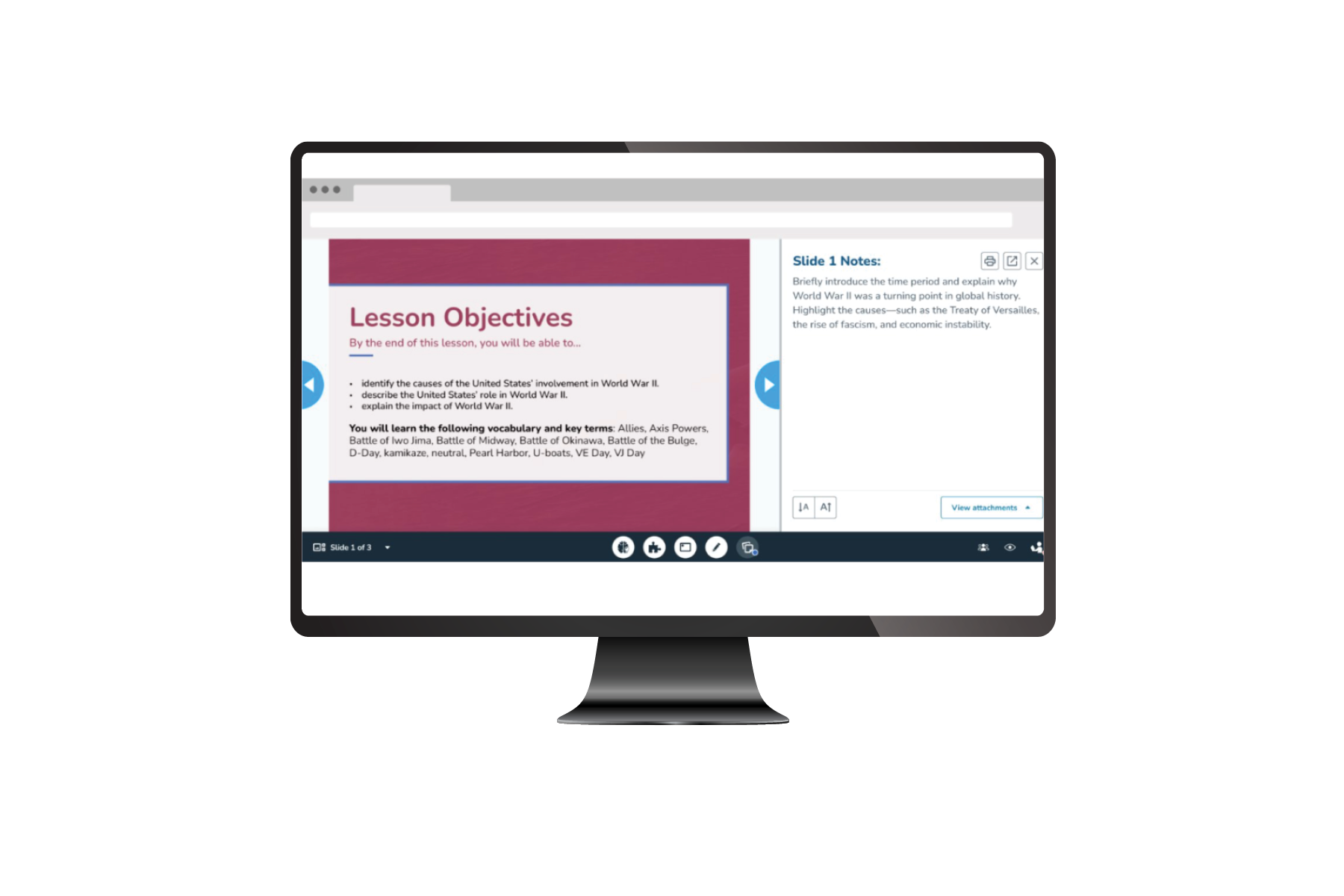
A great lesson includes more than the content students see on the screen. It also includes the instructional guidance, key talking points, and helpful resources teachers use to bring that content to life.
With Teacher Notes, educators can access instructional notes and resources while presenting a Nearpod lesson. Important guidance stays connected to the lesson experience, so teachers can reference what they need without switching between tools, tabs, or screens.
Teacher Notes help educators:
- Access instructional notes and resources while presenting
- Stay connected to key teaching points throughout the lesson
- Keep lesson guidance and student-facing content together
- Deliver instruction more seamlessly without switching between tools
Whether it’s a helpful prompt, additional context, or an important reminder, Teacher Notes keep instructional support right where you need it—so you can stay focused on your students and the learning happening in the moment.
*Available for all Nearpod license types
Start using Nearpod’s newest updates
At Nearpod, everything we build starts with one question: How can we better support educators?
This year’s updates give teachers more ways to save time, personalize learning, and deliver high-quality instruction that engages every student. Whether you’re creating an interactive lesson with AI, adjusting content to meet students where they are, building essential digital citizenship skills, or accessing instructional guidance while presenting, Nearpod is here to support you every step of the way.
Here’s to a new school year filled with fresh ideas, active learning, and more opportunities for every student to participate, connect, and grow.
Ready to dive in? Log in to Nearpod and explore what’s new.
New to Nearpod? Teachers can sign up for free below to access interactive activities, formative assessments, and engaging lessons. Administrators can schedule a call with an expert to unlock the full power of Nearpod for schools and districts.

Bridget McKnight is a Product Marketing Manager at Nearpod.